 CookSync
CookSync — User Guide
How to use the CookSync Android app, screen by screen.
1. Installing the app
CookSync runs on Android 7.0 (API 24) or newer.
The fastest way to install the current build is the rolling GitHub release:
- Download the latest APK, or scan the QR code on the project page.
Android blocks installs from outside the Play Store by default. When prompted, allow installation from your browser or file manager (“Install unknown apps”), then open the downloaded file again.
The release build talks to the hosted CookSync API, so no local setup is
required. To build and run the app against your own server instead, see
cook-sync-client/README.md.
2. Creating an account
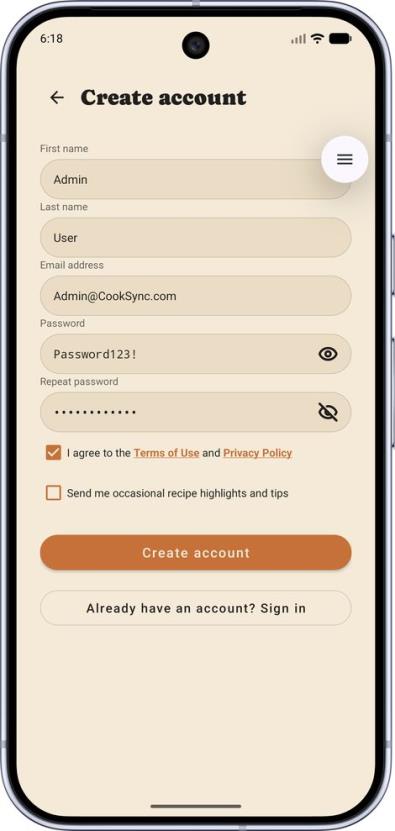
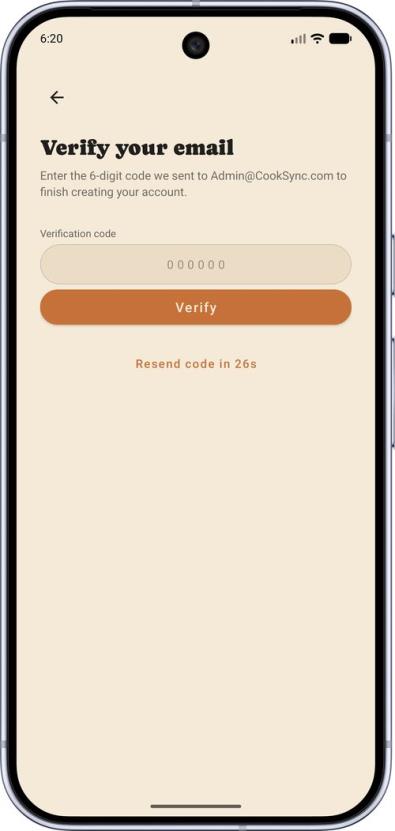
- Open the app and tap Register.
- Enter your first name, last name, email address and a password.
- CookSync emails a one-time verification code (OTP) to the address you entered. Type it into the verification screen to finish creating the account.
- If the code doesn’t arrive, use Resend code on the same screen. Codes expire after a short window, and repeated wrong attempts temporarily lock verification for that registration.
An account only exists once the code is verified — an unverified registration is discarded automatically after it expires.
3. Signing in and recovering a password
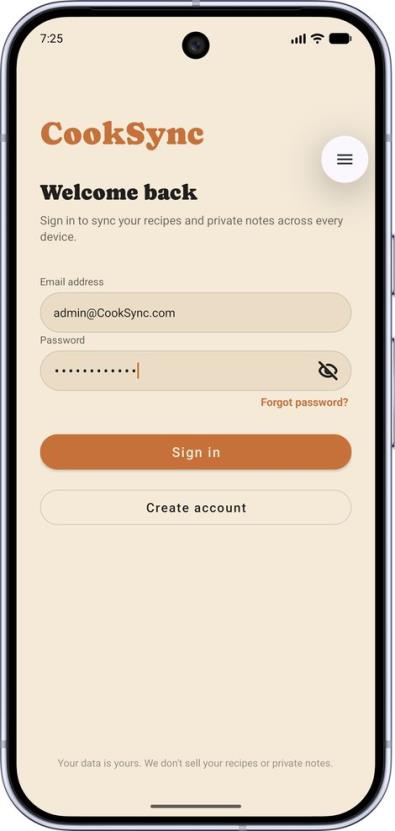
Sign in with your email and password. The session is stored encrypted on the device, so you stay signed in between launches; the app refreshes your session silently in the background and only asks you to sign in again after a long period of inactivity.
Forgot your password? Tap Forgot password on the login screen, enter your email, and follow the reset link/code sent to you.
4. Finding recipes
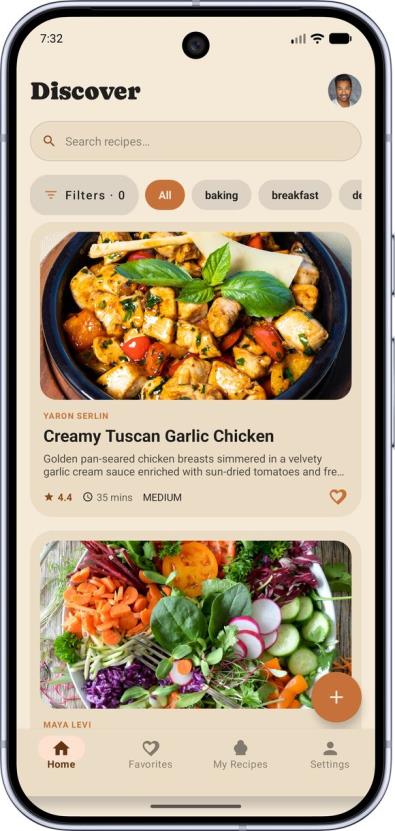
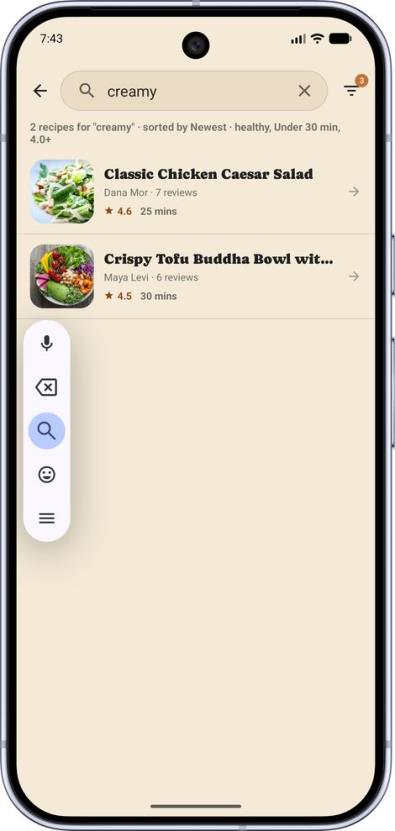
The Home tab is the main feed of published recipes. The bar at the bottom of the screen moves between the four main areas: Home, My Recipes, Favorites and Settings.
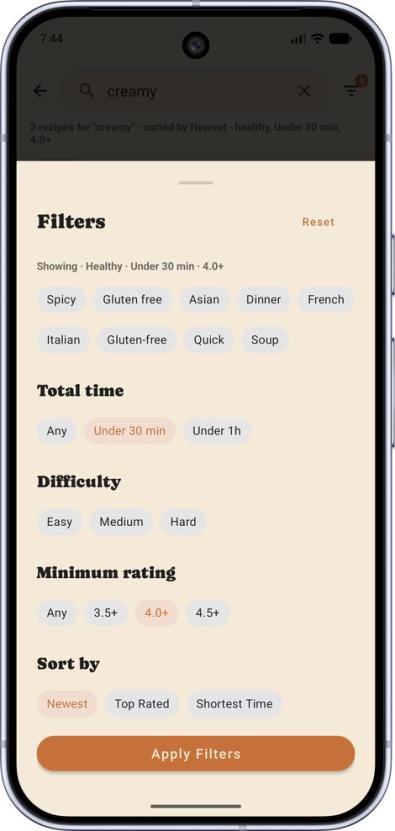
Tap the search icon to open the search screen, where you can:
- search by recipe name or ingredient,
- filter by tag (cuisine, meal type, dietary preference, and so on),
- filter by difficulty and preparation time,
- browse the popular tags shortcuts.
Results are paged — scroll to load more.
5. Reading a recipe
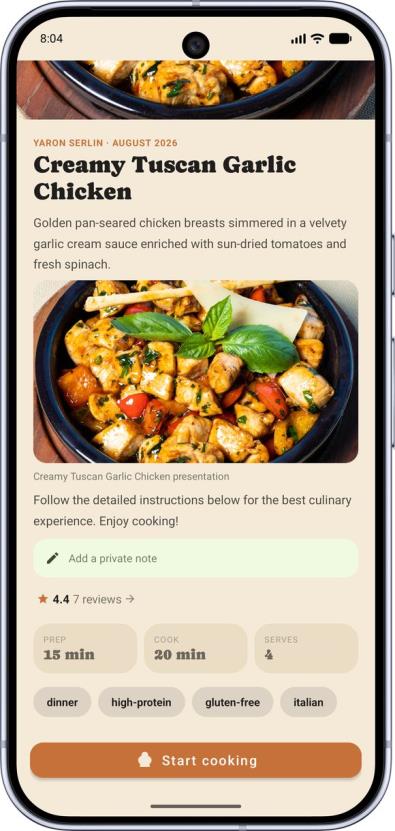
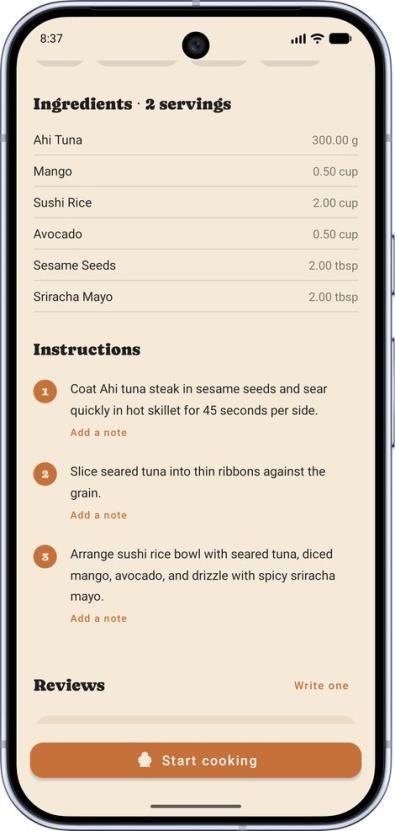
A recipe page contains:
- Photos — tap an image to open it full screen, then pinch to zoom.
- Description blocks — the author’s free-text introduction.
- Ingredients — each with a quantity and a measurement unit.
- Instructions — the numbered preparation steps.
- Reviews — the average rating and what other cooks wrote.
From here you can favorite the recipe, add your own notes, write a review, or start Cooking Mode.
6. Cooking Mode
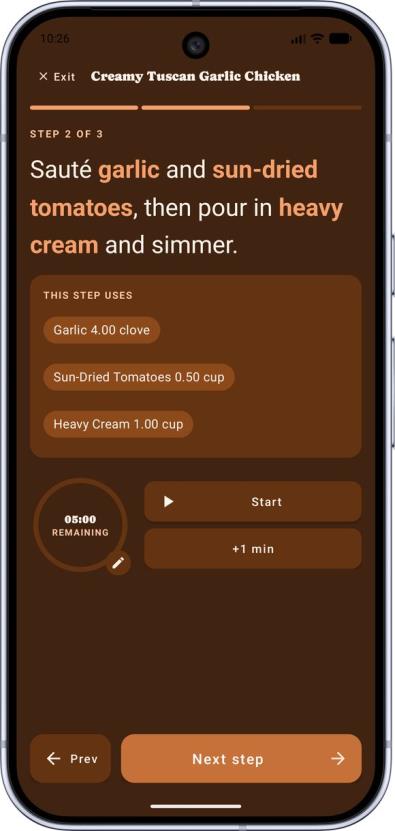
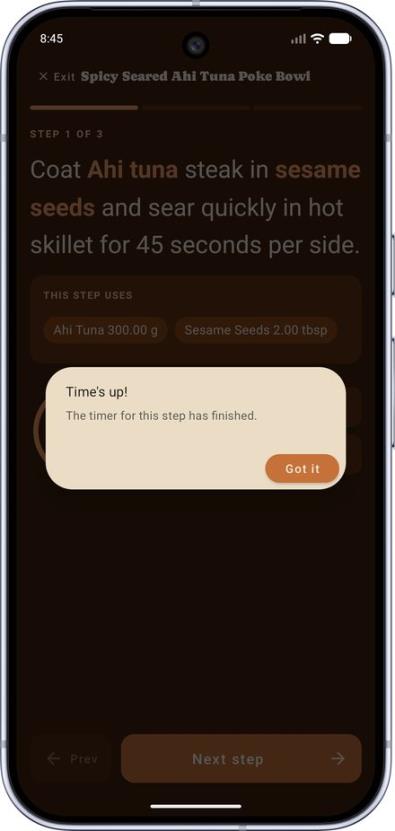
Cooking Mode is a full-screen, step-by-step view built for use while your hands are busy. It shows one instruction at a time, in large type, and you move between steps as you go.
Each step carries a countdown timer with a circular progress ring:
- Play/pause starts and stops the countdown.
- +1 min adds a minute without retyping the whole duration.
- Tap the clock (or the edit button) to set a different duration.
- When a timer finishes, the app alerts you and waits for you to acknowledge it.
Your personal notes for a step appear alongside the instruction, so a reminder you wrote earlier is in front of you at the moment it matters.
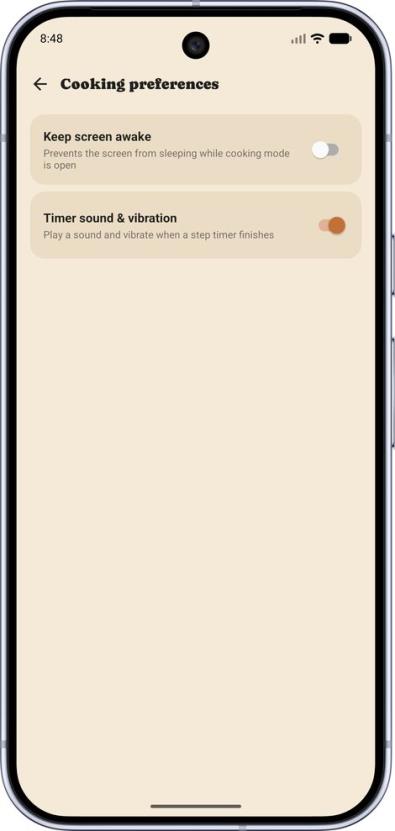
Two related options live under Settings → Cooking preferences:
- Keep screen awake — stops the screen from sleeping mid-recipe (on by default).
- Timer sound — plays a sound when a timer finishes.
7. Favorites
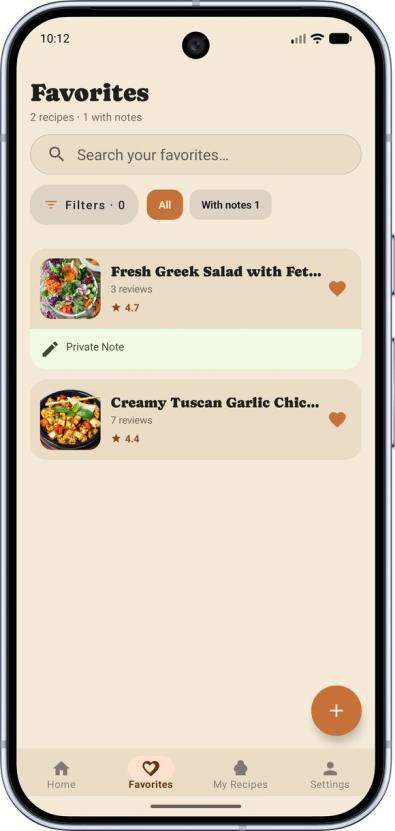
Tap the heart on any recipe to save it. Saved recipes are collected under the Favorites tab.
Favoriting is optimistic: the heart fills the instant you tap it and the change is sent a moment later, so an accidental tap can be undone immediately without a round trip to the server.
8. Personal notes
Notes are private to you — nobody else ever sees them, including the recipe’s author. You can attach a note to:
- a whole recipe — e.g. “use half the sugar next time”, or
- a single preparation step — e.g. “my oven needs 5 more minutes here”.
Step notes are the ones surfaced during Cooking Mode.
9. Ratings and reviews
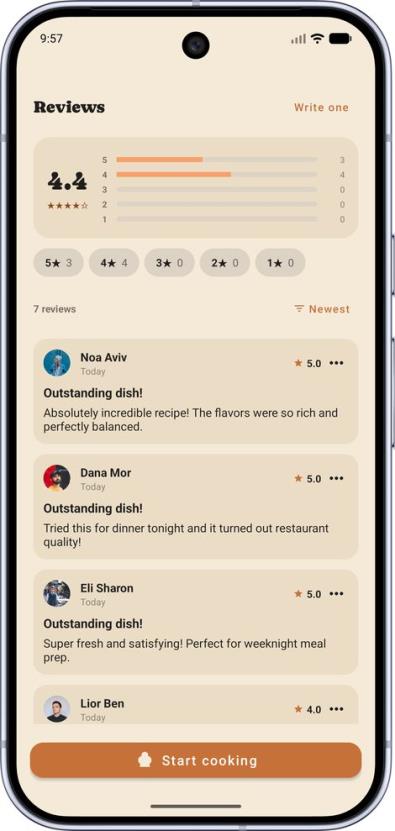
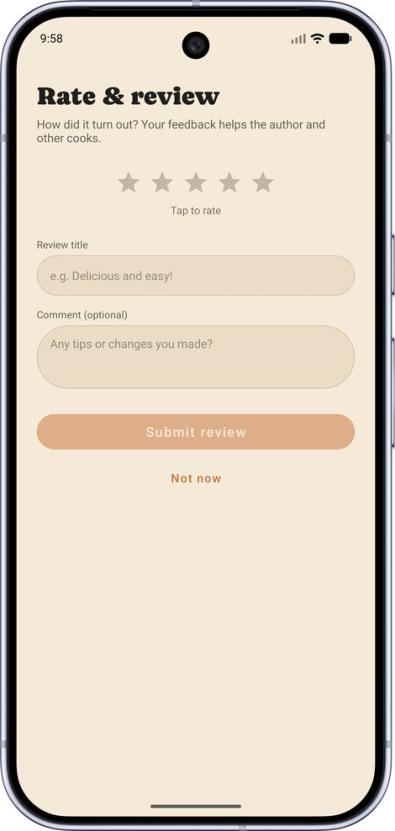
Open the reviews section of a recipe to leave a star rating and a written review. You can delete a review you wrote.
If a review is abusive, spam, or otherwise inappropriate, use Report on it. Reported reviews go into a moderation queue that administrators handle from the admin console.
10. Publishing your own recipe
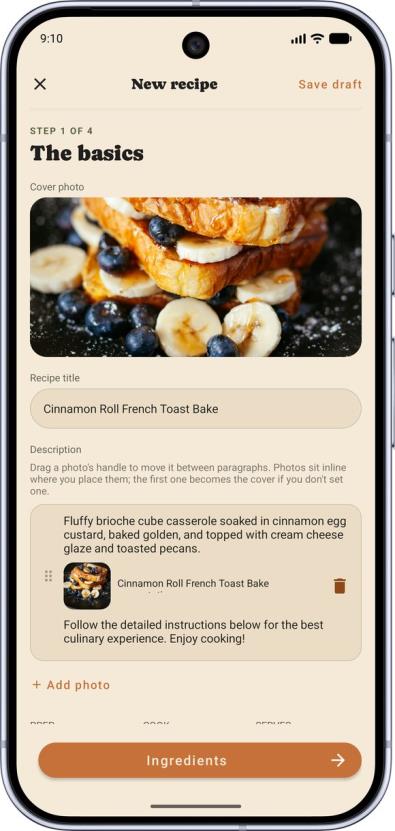
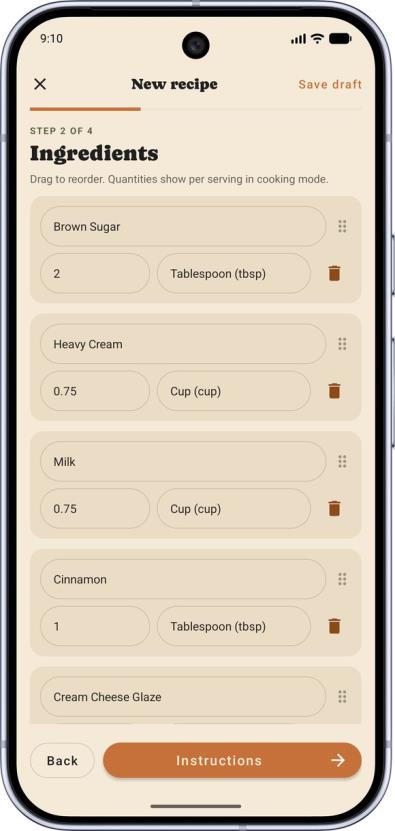
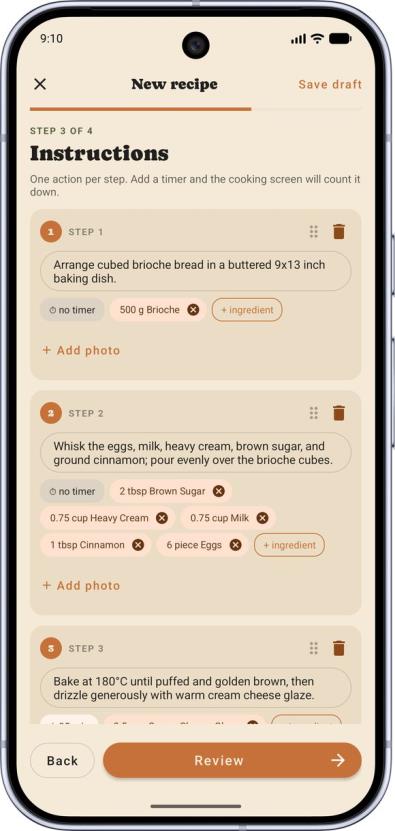
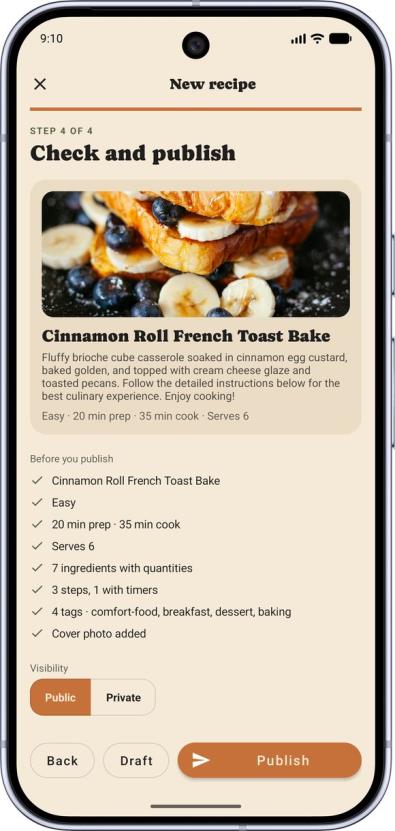
New recipes are created through a four-step wizard:
| Step | What you provide |
|---|---|
| 1. Basics | Title, description, photos, difficulty, preparation time, servings and tags |
| 2. Ingredients | Each ingredient with its quantity and measurement unit |
| 3. Instructions | The preparation steps, in order |
| 4. Review | A final read-through of everything before publishing |
Useful things to know:
- Your work is saved as a draft on the device. You can leave the wizard and come back later without losing anything. Drafts are local to that device and are not synced between devices.
- Publishing continues in the background. Once you confirm, the app uploads the photos, creates any new tags, and saves the recipe on a background thread — you can navigate away or keep browsing while it finishes.
- Photos go straight to the image host. The app uploads them directly and only sends the resulting link to the CookSync server.
- You can add a tag that doesn’t exist yet, and it becomes available to everyone. (Administrators periodically merge near-duplicate tags.)
11. Managing your recipes
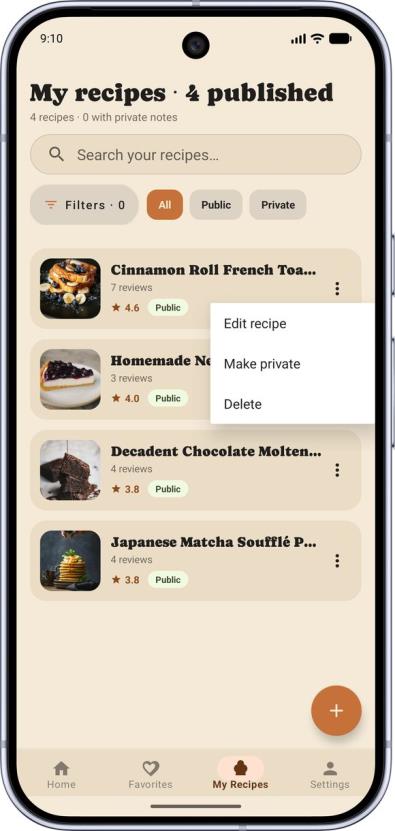
The My Recipes tab lists everything you’ve published. From there you can:
- Edit a recipe — reopens the same wizard with your content loaded,
- Toggle visibility — hide a recipe from the public feed without deleting it,
- Delete a recipe permanently.
12. Your profile and settings
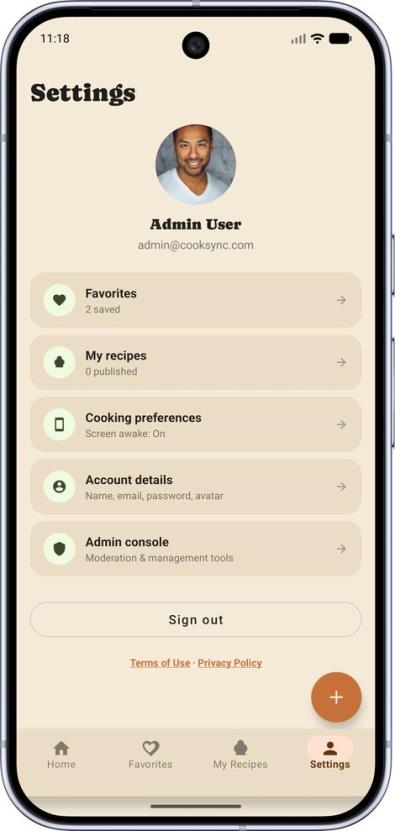
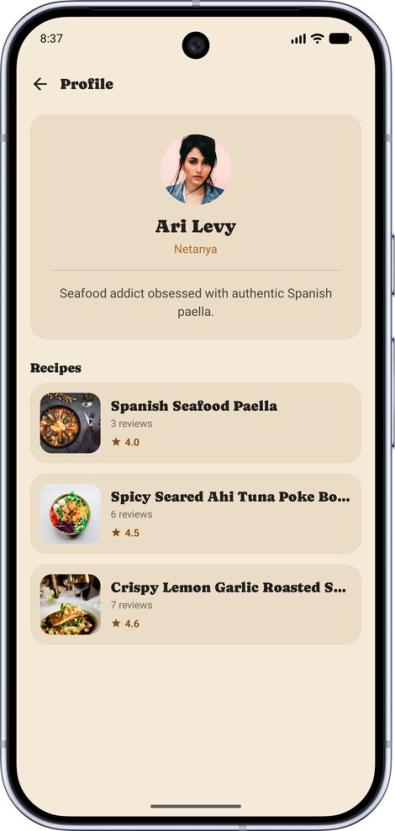
The Settings tab is the entry point to your account.
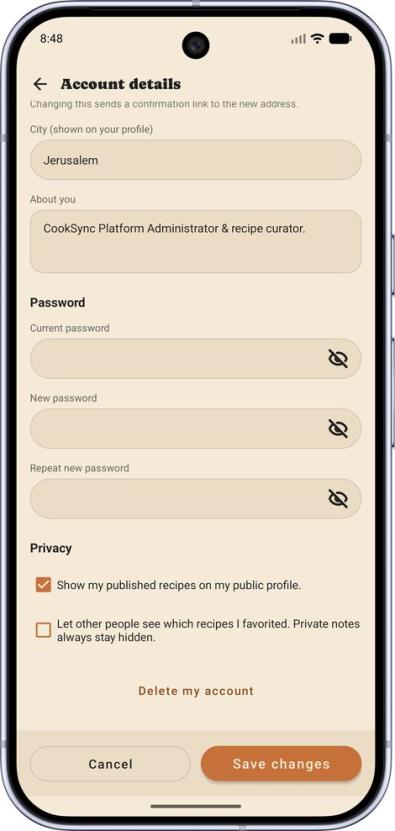
Account details — change your display name, upload or replace your avatar, change your email address or password. Changing a password or an email address requires re-entering your current password, and a new email address must be confirmed before it takes effect.
Privacy settings — control what appears on your public profile: whether other users can see your published recipes and your favorites.
Notification preferences — choose which push notifications you receive.
Cooking preferences — the keep-screen-awake and timer-sound options described in Cooking Mode.
Legal documents — the privacy policy and terms of use.
Deactivating or deleting your account — deleting your account hides your recipes and reviews immediately and permanently removes the account after a 30-day grace period. Signing back in within those 30 days cancels the deletion.
13. Admin console
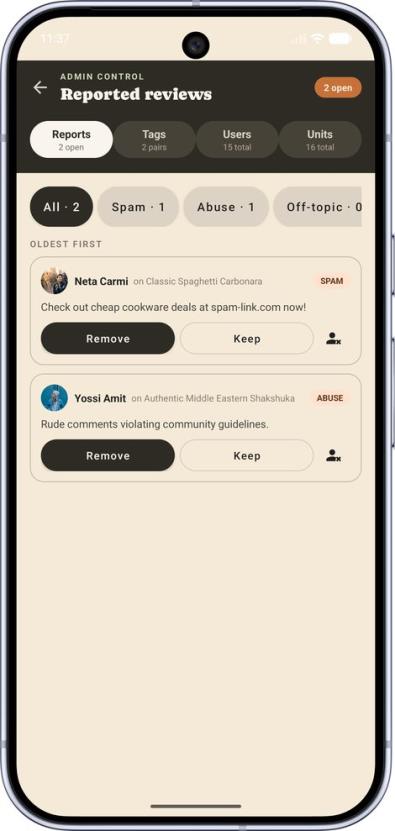
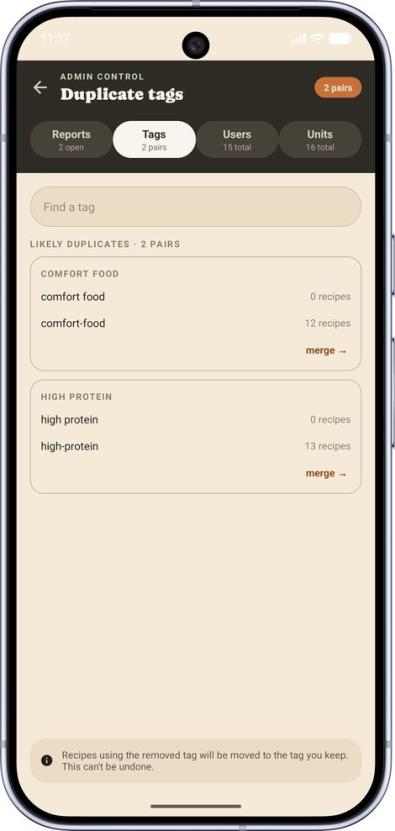
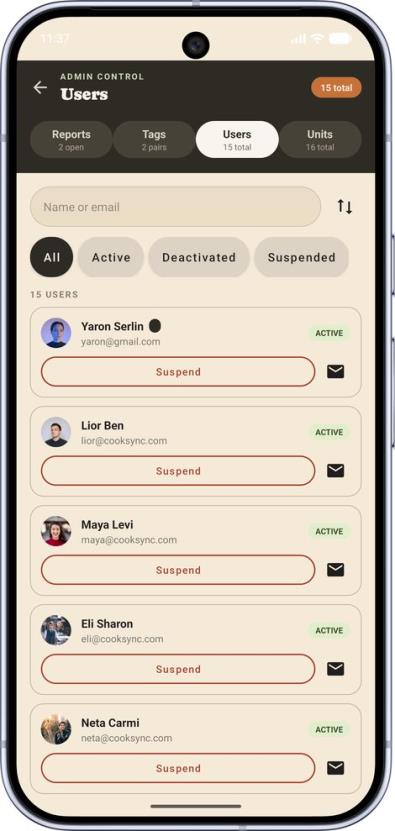
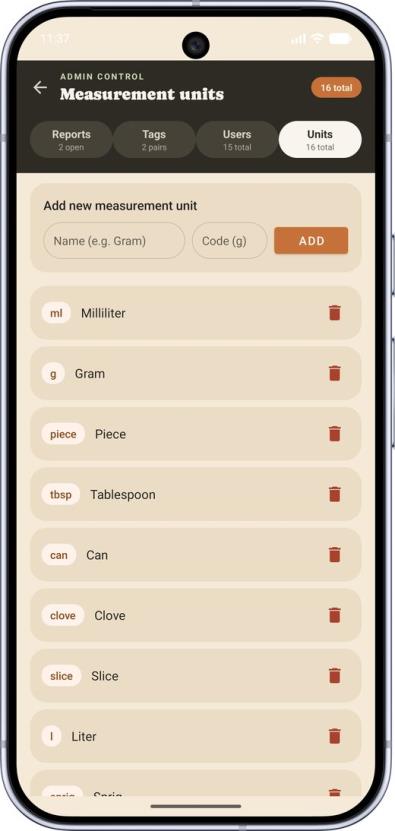
Accounts flagged as administrators get an extra entry point into the admin console, which has five sections:
| Section | What it does |
|---|---|
| Users | Browse registered users; suspend, re-enable or delete an account |
| Reports | Work through reviews that users reported, and act on them |
| Tags | Find near-duplicate tags and merge them into one |
| Units | Maintain the catalog of measurement units available in the wizard |
| Announcements | Broadcast a system announcement to users, and set the minimum app version required to keep using CookSync |
The console also shows summary statistics for the platform.
Users see an active announcement inside the app and can dismiss it. If an administrator raises the minimum supported version above the build installed on a device, that device is held at an update screen until the app is updated.
14. Troubleshooting
The app is slow to respond the first time I open it. The hosted API sleeps when idle and takes up to about a minute to wake. Later requests are fast.
I never received my verification code. Check the spam folder, then use Resend code. Codes are valid for a limited time — request a fresh one if the old one expired.
A photo won’t upload. Photo upload needs a working connection to the image host. Retry on a stable network; the recipe draft stays saved on your device in the meantime.
I’m signed out unexpectedly. Sessions are refreshed automatically, but after a long stretch without opening the app you’ll need to sign in again.
Building or running the project yourself is covered in the main README; what the system does and why is covered in the functional specification.